

Patch Work
Wire it, check it, document it.
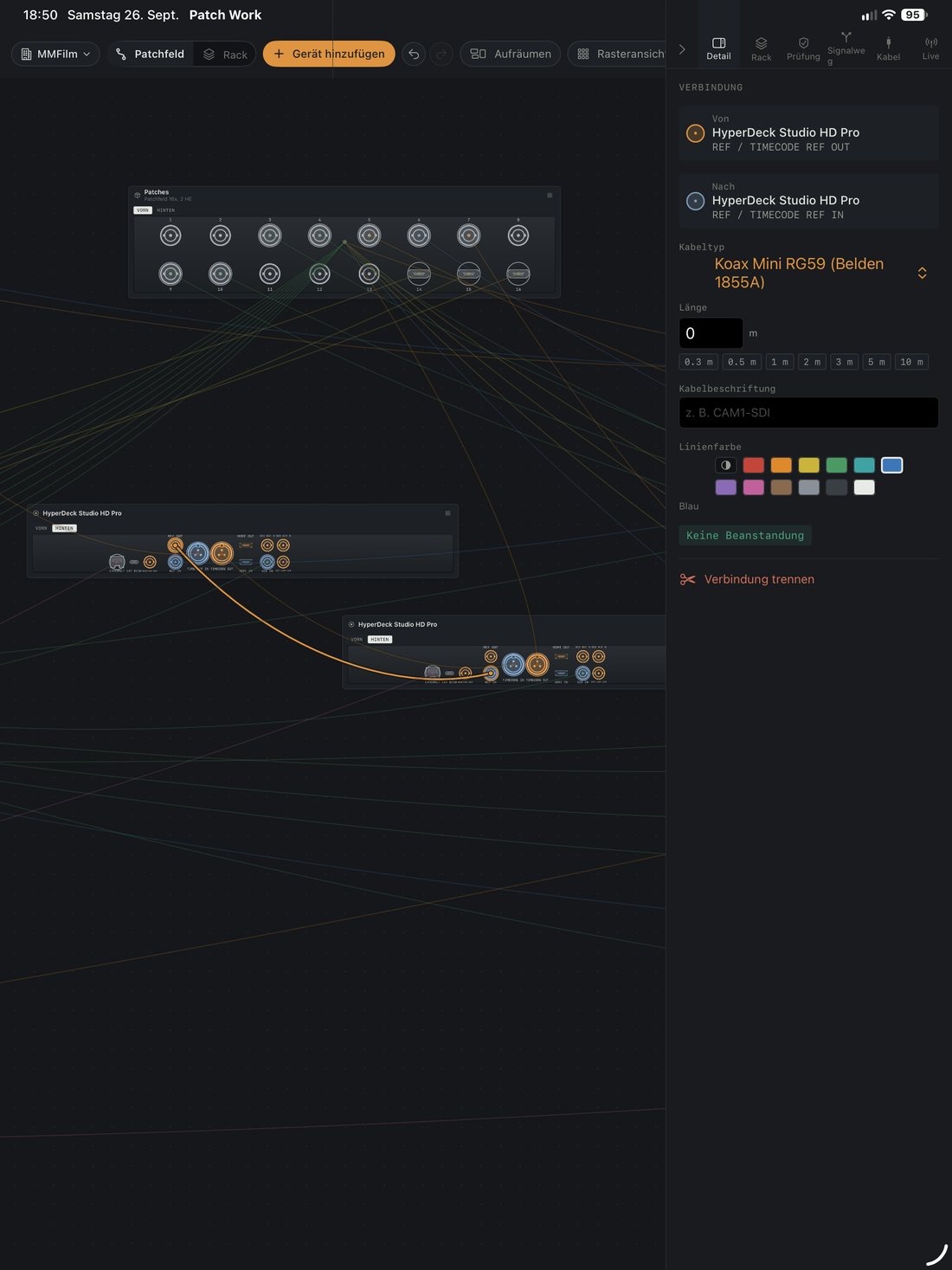
Patch Work shows which connector is plugged into which. Not as a list, but as a picture: devices with their real front and rear panels, cables running from socket to socket, and a rack where everything sits exactly where it sits in the case.
For iPad and Mac · iPadOS 17 and macOS 14 or later · German and English


What it does
The catalogue
313 devices from cameras to routers, with 128 connector types, 89 signal types and 506 true-to-scale connector panels. Every socket is where it really is on the device — redrawn, not guessed. Anything missing you add yourself.
Every socket knows what it can do
Not just what it looks like: which signals it carries, in which direction, at what level and up to what data rate. An SDI output is not an SDI input, 12G is not 3G, and line is not mic.
See it before you try it
28 rules answer while you drag. Touch a connector and only the matching sockets stay bright, with one line saying what the connection would be — before you let go, not after.
Rack planner
19 inch, rack units, front and rear. Sort devices in, turn individual cases around, add shelves, drawers and blanking panels. Cable lengths are estimated along the actual route.
Signal path
From source to destination, through routers, converters and distribution amplifiers. Including every branch.
Cables and packing list
What the setup needs, measured against what you have in stock. What is missing is listed underneath.
On paper
Rack plan, patch list, cable requirements and device list as a PDF. The rack plan landscape on A4 or A3, the lists portrait, with page numbers and date.
Read the router live
If your setup contains a router, Patch Work reads what is currently switched: “Gallery monitor is showing Camera 2” instead of “6 2”. The app switches nothing.
Checks

Your data stays yours
No account. No sign-up. No ads. No data collection. Your setups live in your own iCloud and sync between your devices — there is no server we could reach them on. The details are in the privacy policy.
Questions?
Write to info@maxecute.de, or have a look at the support page first — it answers the questions that come up most often.